Voting with T-shirts
Updated
T-shirt sizes keep a session short: voters pick a size instead of arguing over a number. Scrumpy turns the size into a story point value you control, so the estimate still fits the team's scale and can be written to Jira.
Set the sizes and their story points
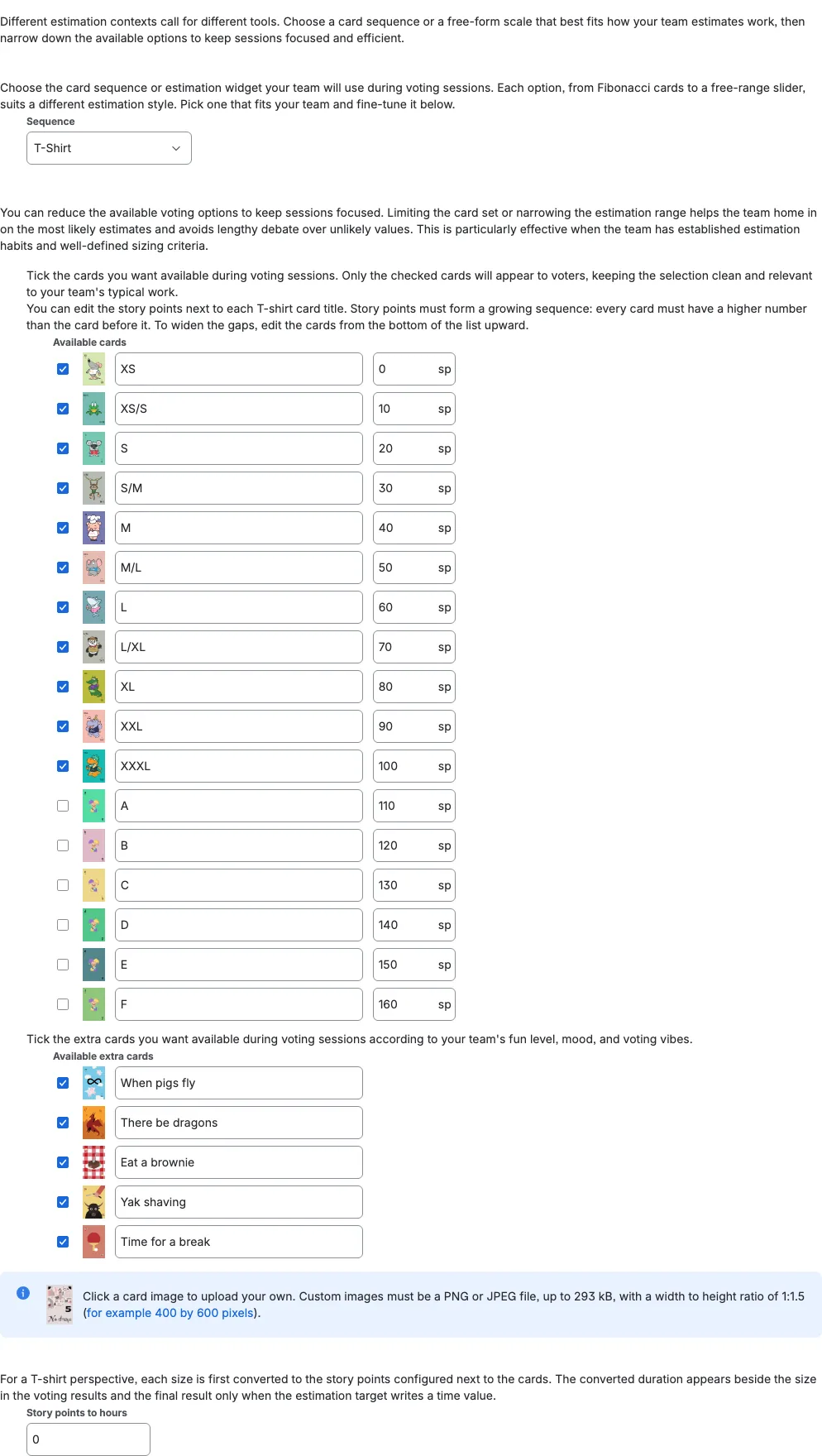
Open the perspective settings and choose T-Shirt in Sequence. Tick the sizes the team uses under Available cards. Only the ticked cards appear during voting, so a short list keeps the session focused.
Each card has a story point value beside it. Change a number to match the team's scale. The values must grow from the first card to the last, so edit the list from the bottom upward when you need wider gaps. These values are the story points Scrumpy uses for the result and for Jira.
When Story points to hours is set in the same tab and the perspective writes a time value, the result also shows the converted duration beside the size, for example 1 sp · 1 day 2 hours · M.
Write the result to one or two Jira fields
A T-shirt vote can update two Jira fields:
- The story points field, using the story point value configured for the chosen size (for example, S = 10).
- The T-shirt field, with the size label (for example, S).
Set Estimation target to Field, then choose the fields you want. Choose both to update both. Leave a field as None when the team does not use it.
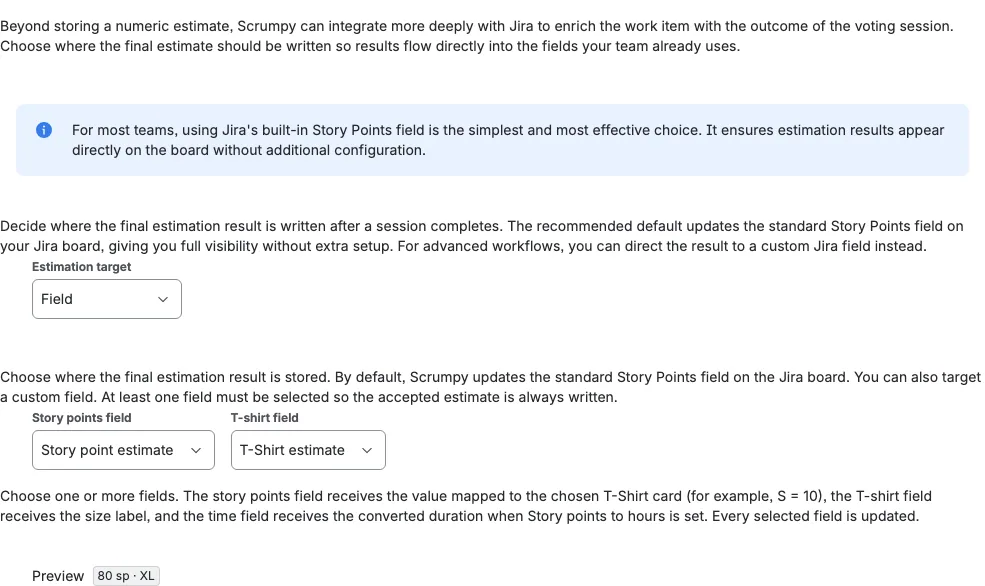
With Default as the target, the accepted estimate goes to the board's estimation field as the mapped story point value, and the T-shirt field can still receive the size label when it is set.
Vote with the size cards
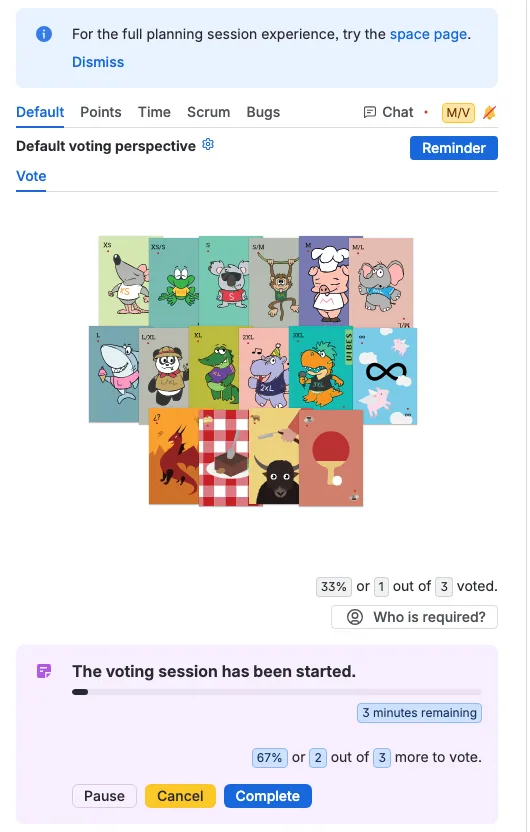
When the moderator starts a session, voters see only the sizes you ticked. Each voter taps a card, and the panel shows who has voted. The moderator pauses, resumes, or completes the session as usual. When the estimate is accepted, Scrumpy writes the size label, the mapped story points, or both, depending on the fields you set.