Skip to content
Atlassian Marketplace · Jira Cloud & Data Center

Planning poker, capacity planning and retrospectives inside Jira

Scrumpy Planning Poker for Jira — the Jira add-on for agile teams

Real-time estimation, sprint capacity planning, stand-ups and retrospectives — in the place where your work already lives. No spreadsheets, no extra tabs. Trusted by 700+ businesses.

Runs on Atlassian · Paid via Atlassian
businesses
700+
Marketplace rating
4/5
reviews
22

At a glance

Product
Scrumpy Planning Poker for Jira
Platform
Jira Cloud & Data Center
Best for
Agile and Scrum teams
Pricing
Paid via Atlassian Marketplace
Data
Hosted by Atlassian
Founded
2015

The product

Everything your agile team does around the backlog

Voting is only the beginning. Scrumpy covers the ceremonies that turn a list of work items into a plan the team actually believes in.

Planning poker and agile ceremonies, natively inside Jira

Scrumpy Planning Poker for Jira

Scrumpy Planning Poker is the Jira add-on for estimation, capacity planning, stand-ups and retrospectives. It connects your team in real-time collaboration sessions, writes accepted estimates back to Jira, and archives the outcome to Confluence.

  • Runs on Atlassian
  • Cloud Fortified
  • Jira Cloud & Data Center
  • 4/5 from 22 reviews
  • 700+ businesses
View on Atlassian Marketplace

Runs on Atlassian · Paid via Atlassian
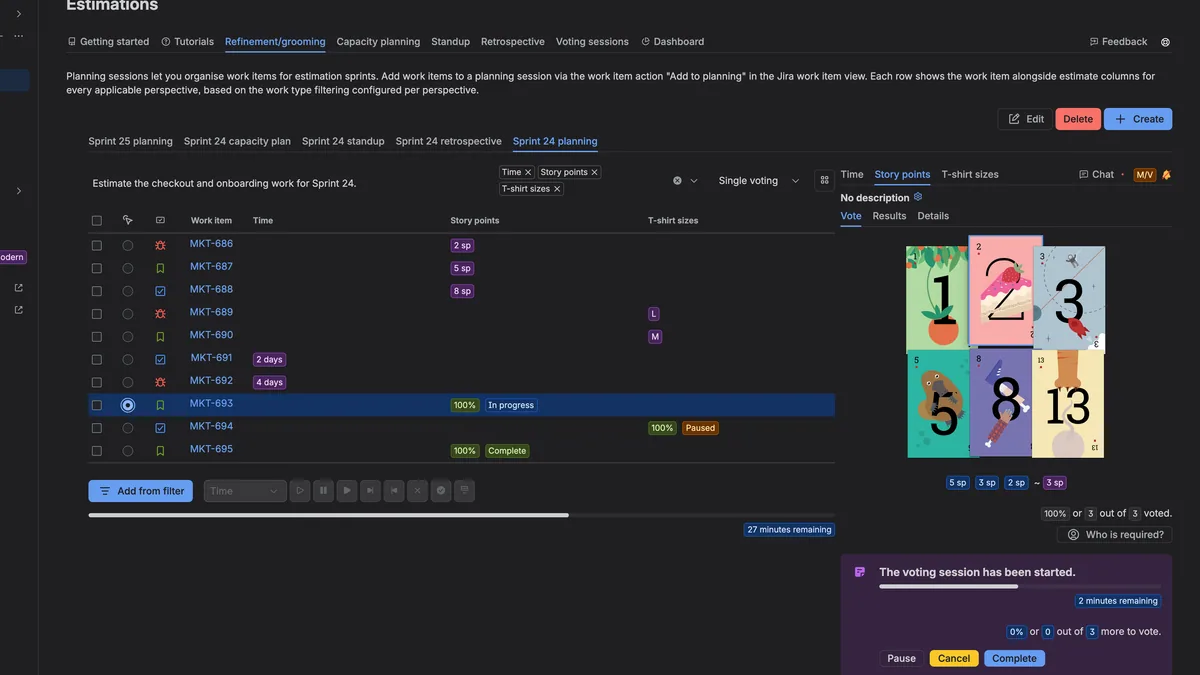
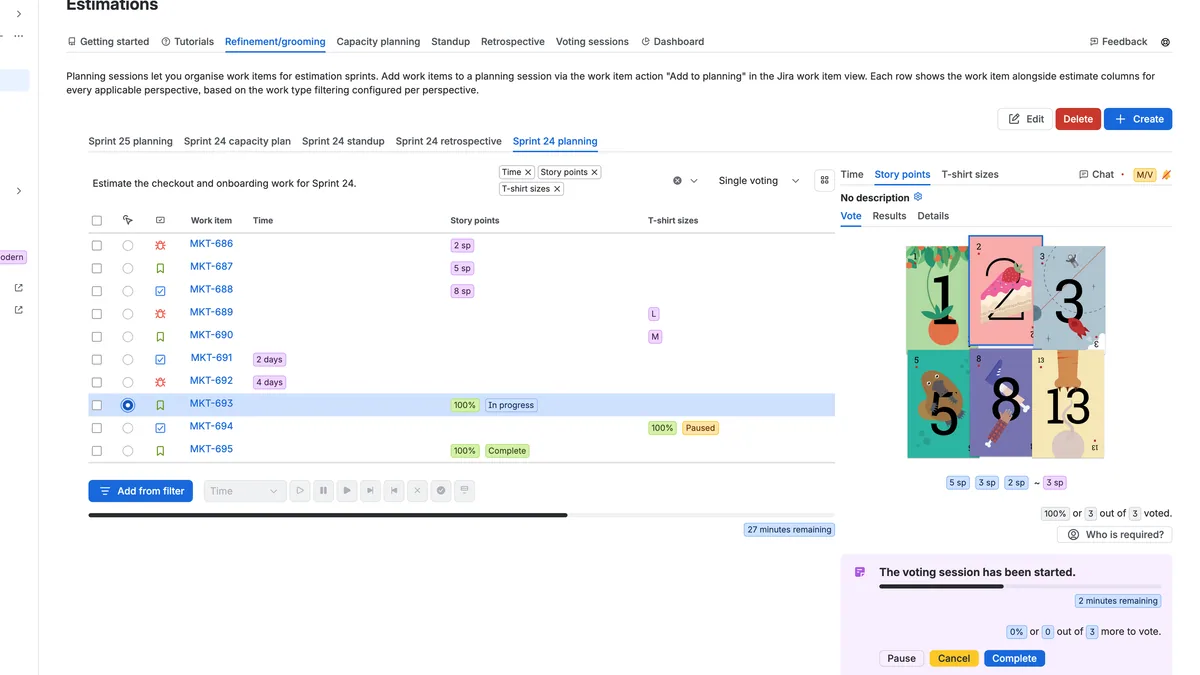
Real-time voting

Open a work item, start a round and watch votes land as your team plays. Every change syncs instantly, and if a save fails the previous state comes back.

Any deck you need

Regular, Fibonacci, T-shirt sizes, free scale, dice, fingers or tens — plus custom cards with your own images and story-point values.

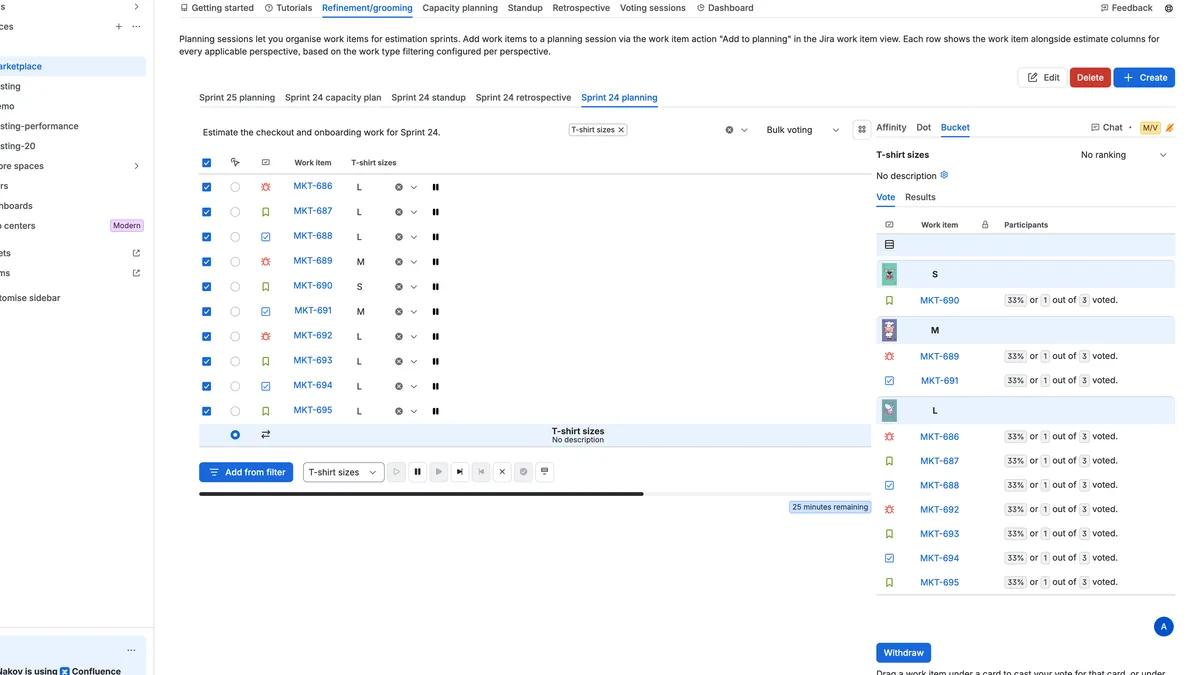
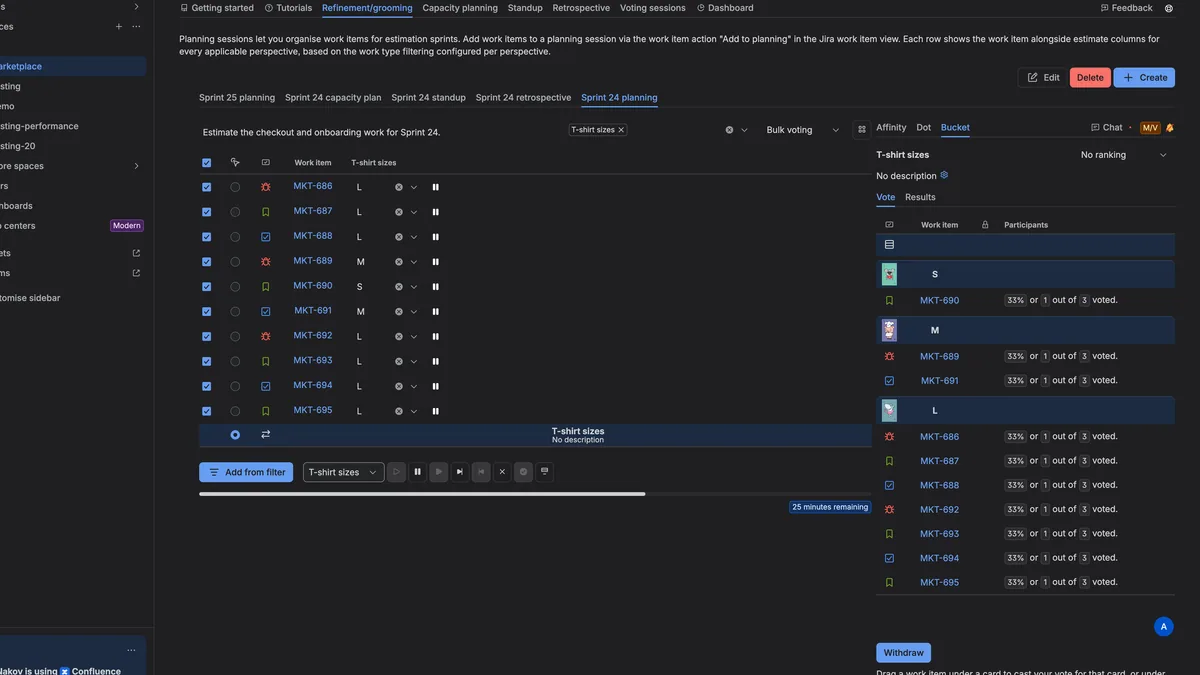
Bulk and bucket voting

Estimate an entire backlog in one table, or drag work items into buckets. Affinity and dot ranking keep large refinements moving.

Points or time

Estimate complexity in story points or effort in hours, with cards or a slider. Accepted results are written back to the Jira field you choose.

Capacity planning

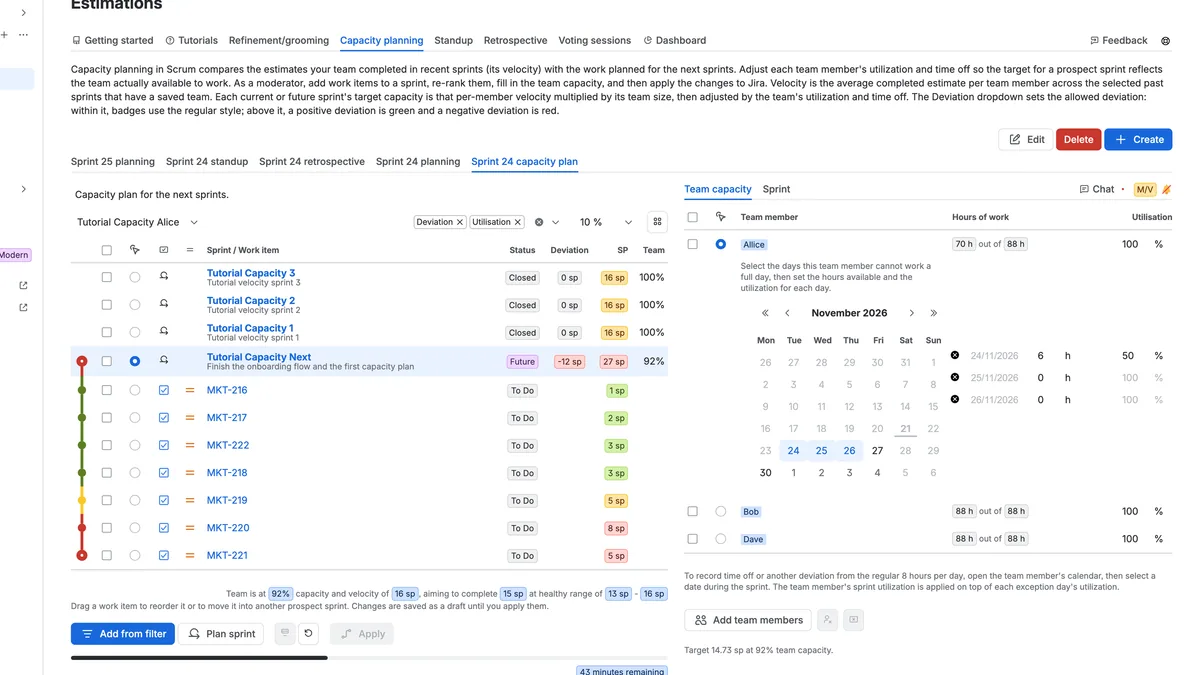
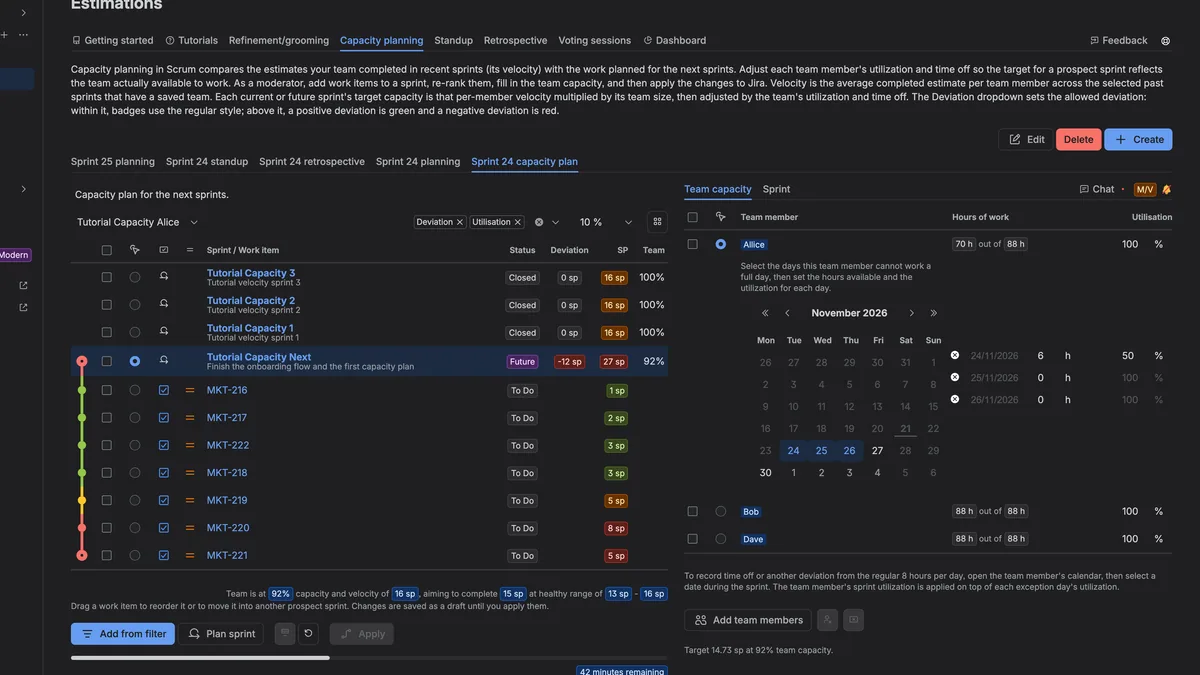
Sprint planning against the velocity your team actually delivered, with utilisation, working hours and time off already accounted for.

Stand-ups

Walk the board column by column, flag blockers, stage status moves and apply them to Jira once the team agrees.

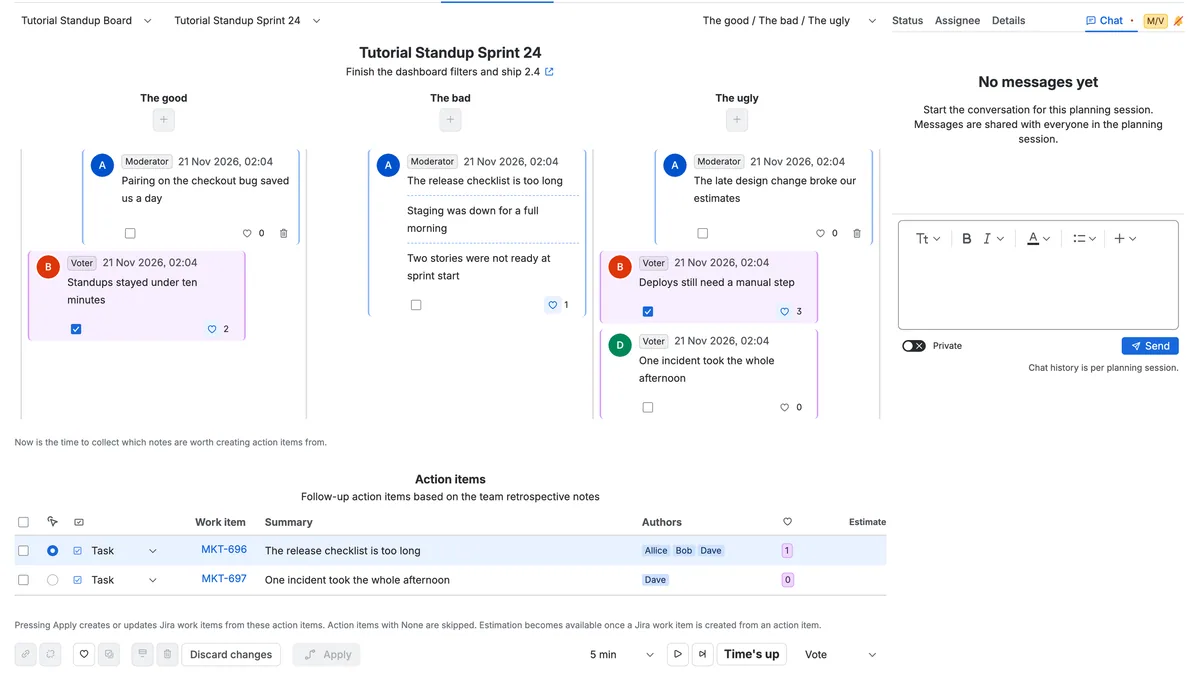
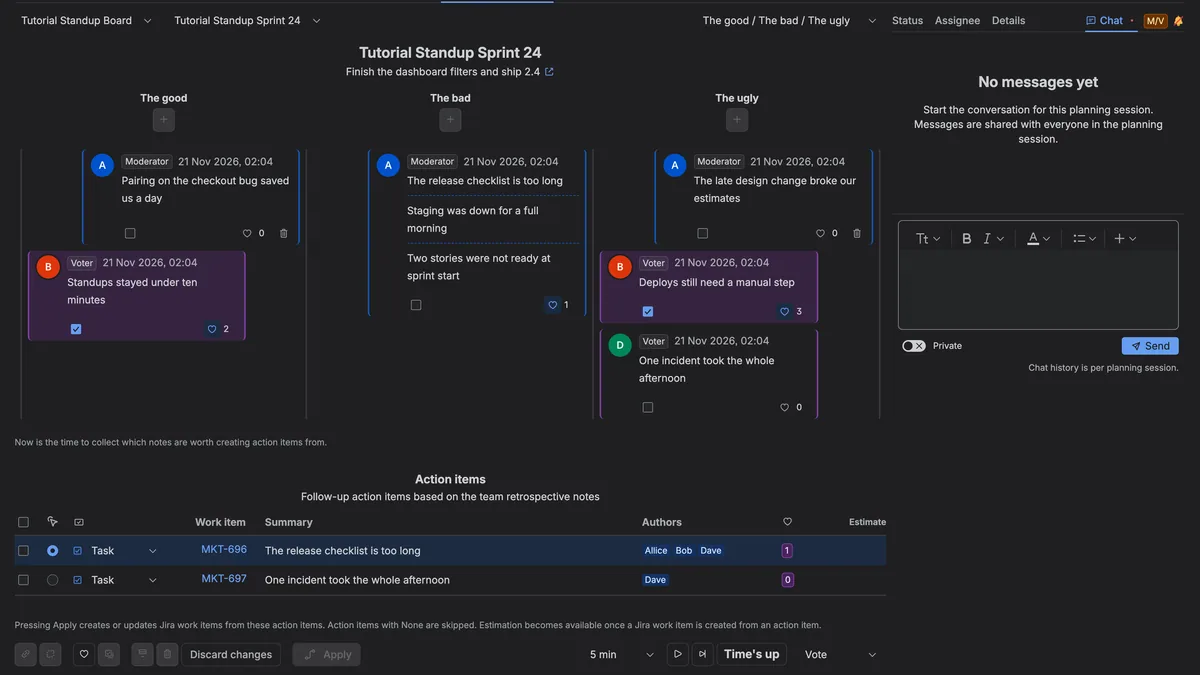
Retrospectives

Collect notes, group and like the ones that matter, then turn them into action items — with a shared countdown to keep it moving.

Chat and micro-polls

Rich-text chat with reactions and quick up/down polls keeps the conversation beside the estimate instead of in another tab.

Archive to Confluence

Send planning sessions, stand-ups and retrospectives to Confluence so stakeholders can read the outcome later.

Async and timed rounds

Run a live round with a countdown and sounds, or let distributed teammates vote at their own pace before a deadline.

Certainty and variation

Two signals show whether the team converged: how often people re-voted, and how widely the votes spread around the average.

Roles, logs and audit

Moderators run sessions, voters estimate, guests follow along. Optional space passwords, estimation logs and audit tabs included.

How it works

From install to your first estimate in ten minutes

Scrumpy stays out of the way until you need it, then it looks like part of Jira — because it is.

  1. 01

    Install from the Marketplace

    Scrumpy appears as a panel on every Jira work item and adds an Estimations page to the space. Installing takes about a minute.

  2. 02

    Give your team roles

    Assign moderators and voters in space settings. Everyone else joins as a guest and can follow the session live.

  3. 03

    Configure perspectives

    Points, time, T-shirt sizes or risk: each perspective has its own deck, voting rules and target Jira field.

  4. 04

    Estimate, plan, improve

    Run voting sessions, plan sprint capacity, hold stand-ups and retrospectives — then accept the results back into Jira.

A closer look

See it in action

Screenshots of Scrumpy inside Jira — voting sessions, bulk estimation, capacity planning, results, stand-ups and retrospectives — in light and dark theme.

Scrumpy voting panel on a Jira work item with the card deck and votes being revealed
Voting sessionThe Scrumpy panel on a work item while the team plays its cards.
Bulk voting table estimating a full Jira backlog in one view
Bulk voting and rankingA full backlog estimated in one table, with affinity and dot ranking.
Capacity planning timeline comparing closed Jira sprints with the next sprint capacity
Capacity planningPlanned sprints against the velocity the team actually delivered.
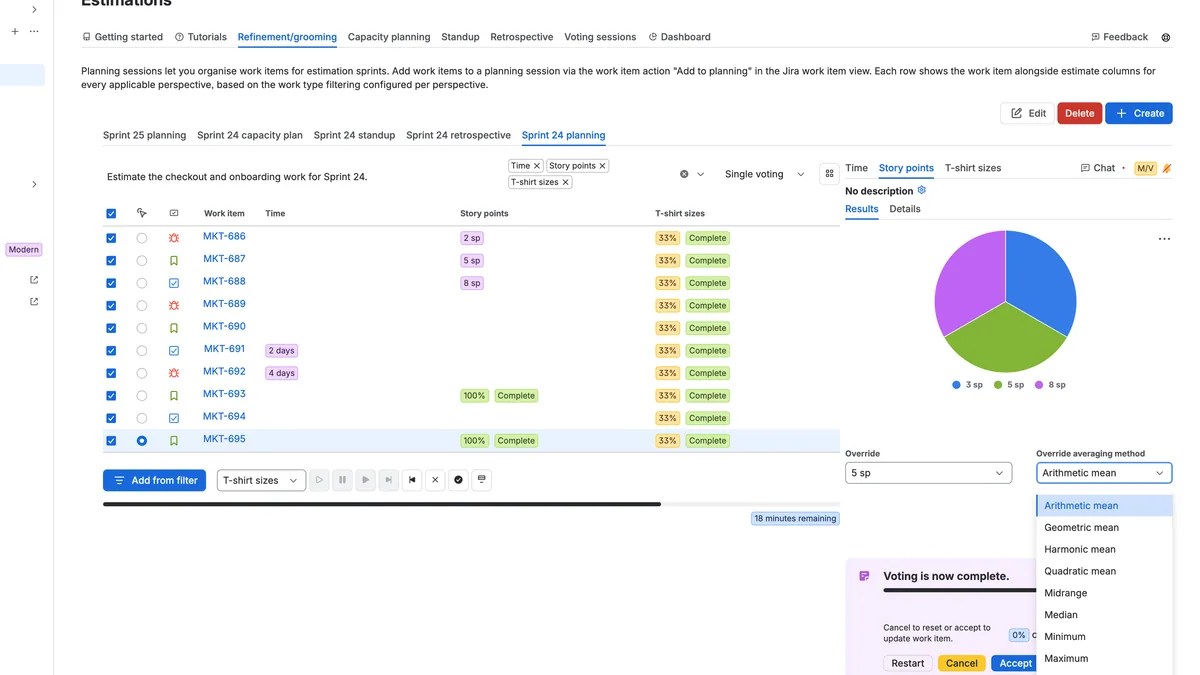
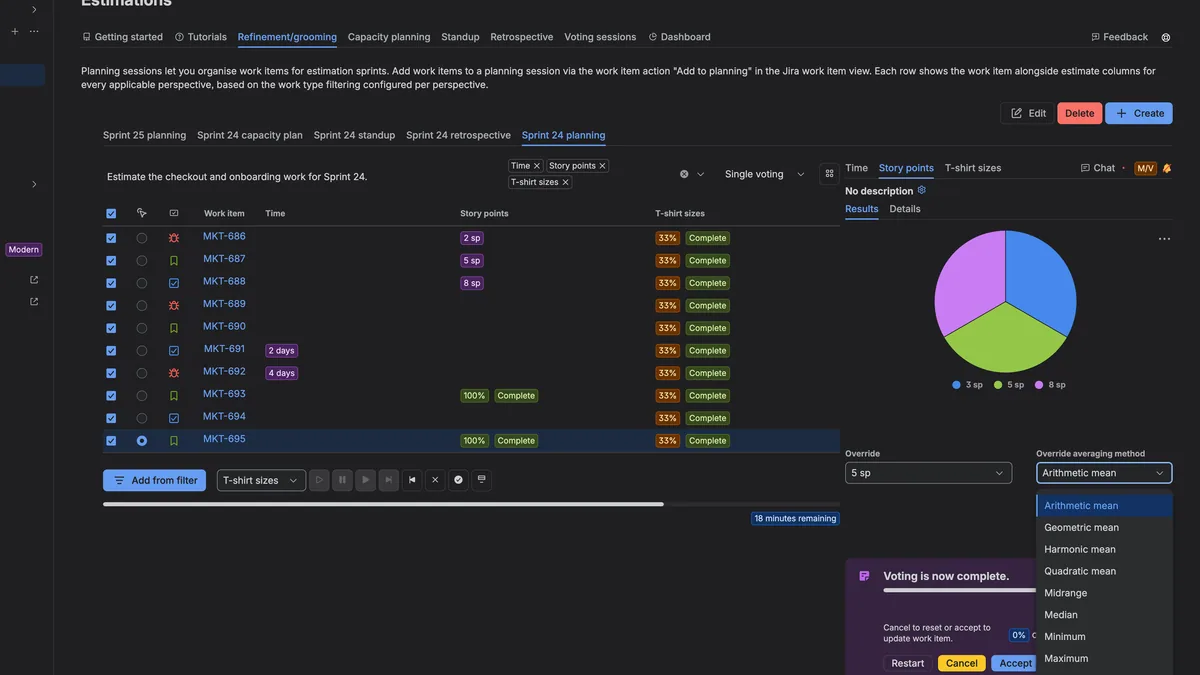
Vote result panel in Jira showing the estimate distribution and average
ResultThe revealed estimate with the vote distribution, the average and a one-click write-back to the Jira field.
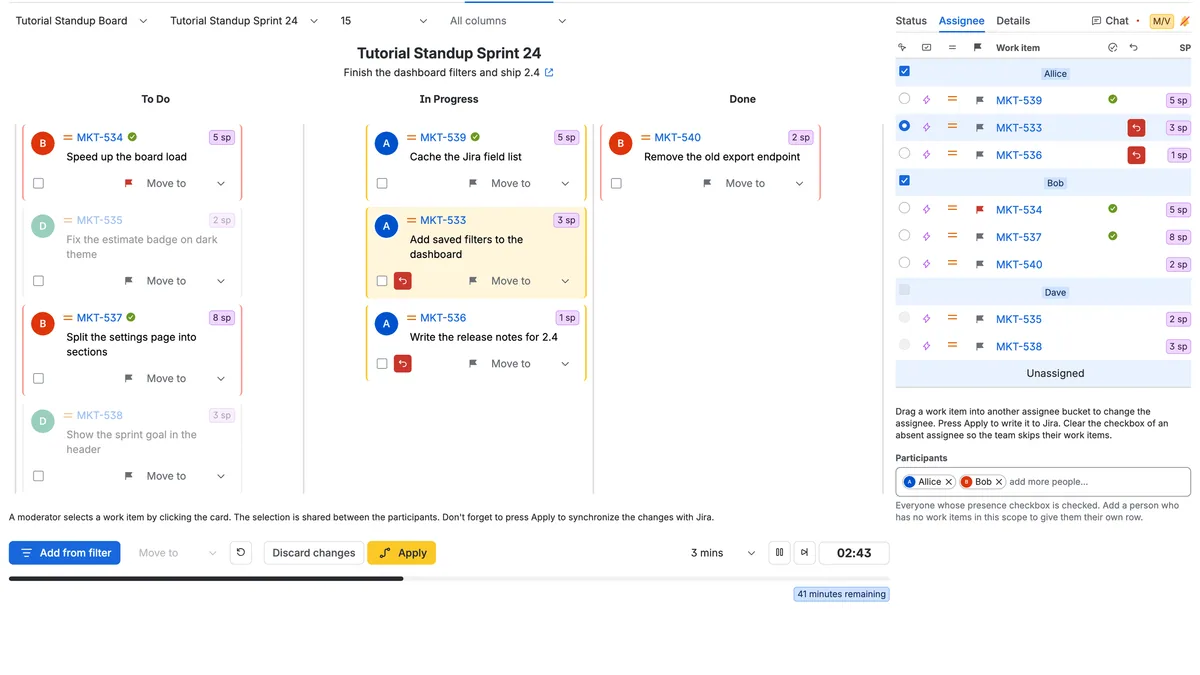
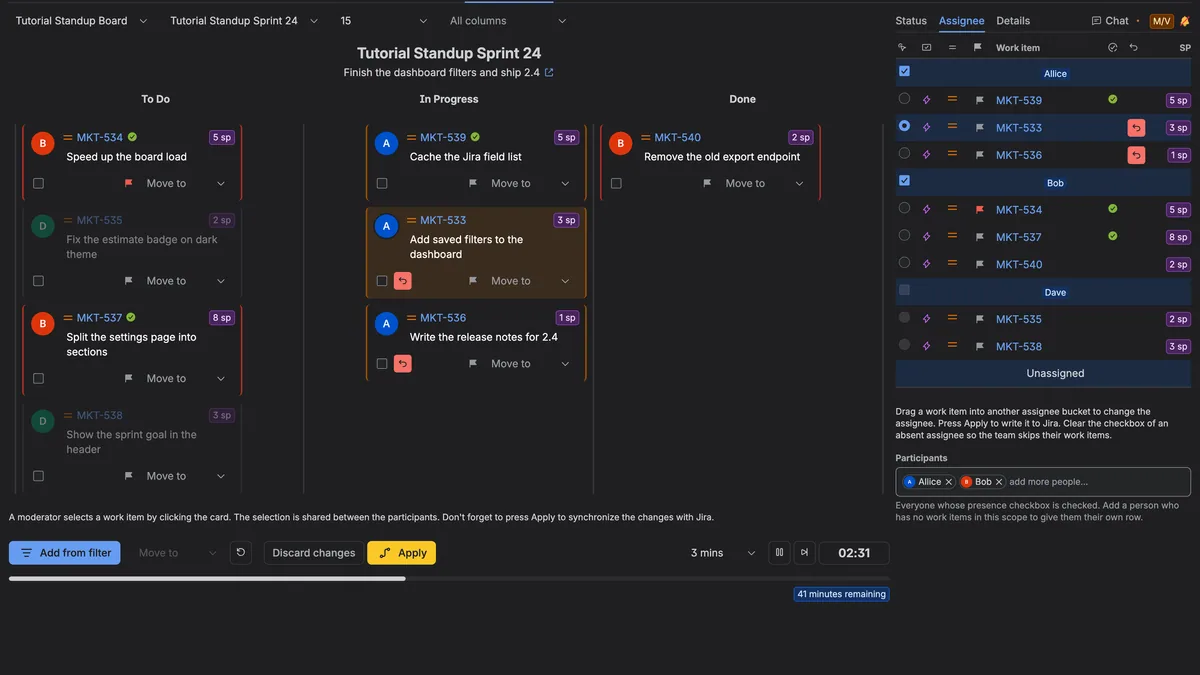
Daily stand-up view in Jira walking the board column by column
Daily stand-upA guided stand-up that walks the board column by column with a shared countdown and stages status moves for review.
Retrospective board in Jira with feedback notes grouped into columns
RetrospectiveNotes collected in columns, grouped and liked, then turned into action items — archived to Confluence when the session ends.

Trusted worldwide

700+ businesses estimate with Scrumpy

From global enterprises to product teams that ship every day, teams use Scrumpy Planning Poker to make estimation a conversation again.

  • Samsung
  • Pfizer
  • Maersk
  • Jobvite
  • Mirantis
  • Takeaway
  • CNA Insurance
  • Accenture
  • Safe-Guard Products International
  • Toll Collect

Company names and logos are the property of their respective owners and are shown to identify customers of Scrumpy Planning Poker.

Questions & answers

What teams ask before installing

Short answers on estimation, sprint planning and the Atlassian Marketplace listing — the things that are easier to read than to ask.

What is Scrum Poker, and how is it different from planning poker?

They describe the same technique. Scrum Poker is the ceremony Scrum teams use to size backlog items together; planning poker is the name of the card game itself. Scrumpy runs either one inside Jira: everyone plays a card privately, the votes reveal at the same moment, and the team discusses the outliers before re-voting.

Does Scrumpy work with Jira Cloud and Jira Data Center?

Yes. The app is listed on the Atlassian Marketplace for Jira Cloud, Jira Data Center and Jira Server. It appears as a panel on every work item and adds an Estimations page to the space — no separate login and no browser extension.

Can we estimate in story points, hours and T-shirt sizes?

All three, in the same space. Each perspective has its own deck: regular cards, Fibonacci, T-shirt sizes, free scale, dice, fingers or tens, plus custom cards with your own images and values. Points and time can be estimated with cards or a slider, and accepted results are written to the Jira field you choose.

How does sprint capacity planning work?

Pick the closed sprints that should set your team’s velocity, then the active or future sprints you want to plan. Scrumpy counts the working days, accounts for each person’s utilisation, working hours and time off, and shows whether the planned work fits. When the plan looks right, apply it to the sprints in Jira.

Do we have to refine the whole backlog, or can we estimate in bulk?

Both work. Start a single voting session from a work item, or open the planning session and estimate a whole backlog in one table. Bucket voting lets you drag items between groups, and affinity or dot ranking settles the order first when the team disagrees on what matters most.

Can stand-ups and retrospectives run inside Jira as well?

Yes. Stand-ups walk the board column by column with a shared countdown, flag blockers and stage status moves for review. Retrospectives collect notes in columns, group and like the ones that matter, then turn them into action items. Both can be archived to Confluence when the session ends.

What does Scrumpy cost, and is there a free trial?

Scrumpy is listed on the Atlassian Marketplace and paid through Atlassian, so it appears on your existing Atlassian bill. A free trial starts from the listing, and the current tiers are shown on the Marketplace pricing page.

Where is our data stored?

Inside Atlassian. Scrumpy runs on Atlassian-hosted infrastructure, does not send data to external services, and uses no third-party analytics or external logging. Data residency follows the commitments of the Atlassian services you use, and the app is Cloud Fortified.

About us

A boutique software studio in Sofia

AELBOX Ltd. is an independent software development company based in Sofia, Bulgaria. We build a small number of focused products for teams that care about how they plan their work — and we support them ourselves, without a ticket queue in between.

Scrumpy Planning Poker started from a simple observation: the work item already lives in Jira, so why does estimation happen in spreadsheets, chat threads and disconnected planning-poker sites? We built the ceremony into Jira itself, where the backlog, the history and the people already are.

The app is Cloud Fortified, part of the Atlassian Marketplace Bug Bounty program, and used by more than 700 organisations — from global enterprises to teams of five. We keep it that way by shipping carefully and answering every message personally.

Where we are

Sofia, Bulgaria · sv. Pimen Zografski str. 17

  • Craft over volume

    One product, maintained for years, instead of a portfolio of side projects.

  • Direct support

    Messages reach the people who write the code. No tier-one script in between.

  • Privacy by default

    No advertising trackers, no data brokers, nothing sold about your team.

  • Built for Jira

    Native panels, native fields, native permissions — nothing to sync or duplicate.

Contact

Let's talk

Questions about Scrumpy, licensing, a security review or a workflow that needs a special touch? Write to us — we answer personally.

Office
AELBOX Ltd.sv. Pimen Zografski str. 17Sofia, Bulgaria
E-mail
info [at] aelbox [dot] com

We usually reply within one business day.

Send us a message

We use your details only to reply to this enquiry. See our privacy policy. Privacy policy