
Personal Settings
Updated
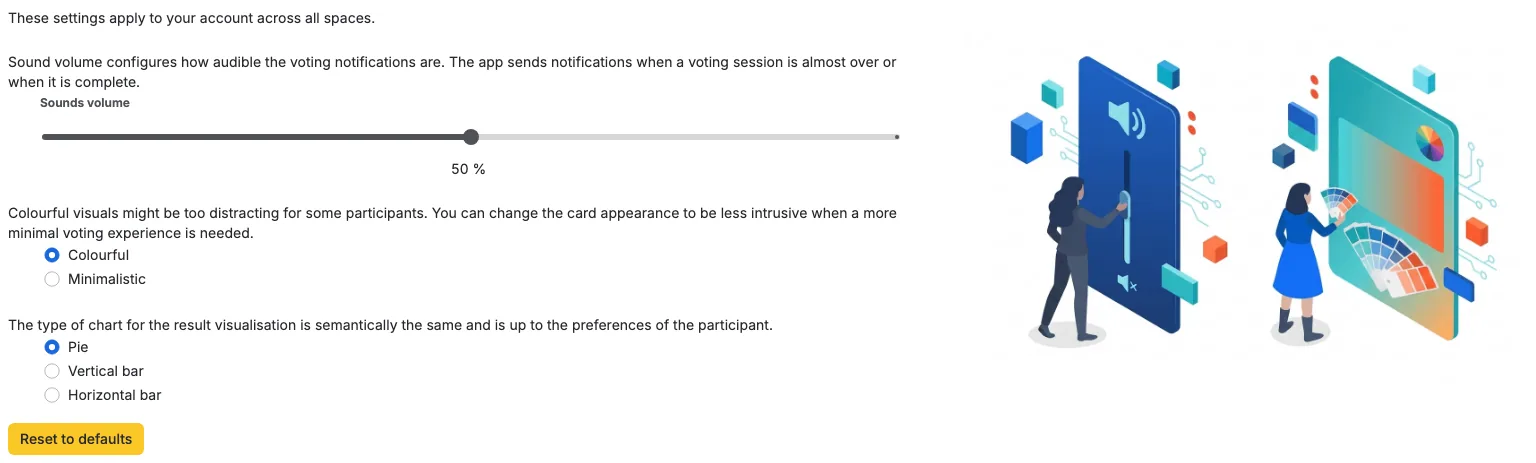
Personal settings let each team member customize their Scrumpy experience. These settings are stored per user and follow you across all spaces.
Changes apply immediately and are synced to your other open panels right away. If a change cannot be saved, the setting returns to its previous value.
Chart Type
Controls how voting results are visualized after a session completes. The default is Pie.
| Option | Best for |
|---|---|
| Pie | Quick glance at vote distribution |
| Vertical bar | Comparing individual vote values |
| Horizontal bar | Reading vote labels comfortably |
Card Visuals
Adjusts the appearance of voting cards in the estimation panel. The default is Colorful.
- Colorful: Bright, visually distinct cards with gradients
- Minimalistic: Subdued, flat design for less visual distraction. Cards show the estimate value instead of a playful label
Choose minimalistic if you find colorful visuals distracting during focused estimation sessions.
Sound Volume
Controls the volume of audio notifications, from 0% to 100%. The default is 50%. Scrumpy plays sounds for key events:
- Vote: When another participant casts a vote
- Start: When the moderator starts a voting session
- End: When the voting session reveals results
- Reminder: When the moderator sends a reminder to unvoted participants
- Message: When a new chat message arrives
Scrumpy does not play a sound for your own action. For example, you hear the vote sound when someone else votes, and the message sound for incoming messages, not for the one you just sent.
Set the volume to 0% to mute all sounds. Your preference is remembered across sessions. The voting panel header also has a quick mute toggle that turns sound on or off without changing this volume.
Resetting
You can reset all personal settings to their defaults from the Personal settings panel. A confirmation appears first, and the reset cannot be undone.